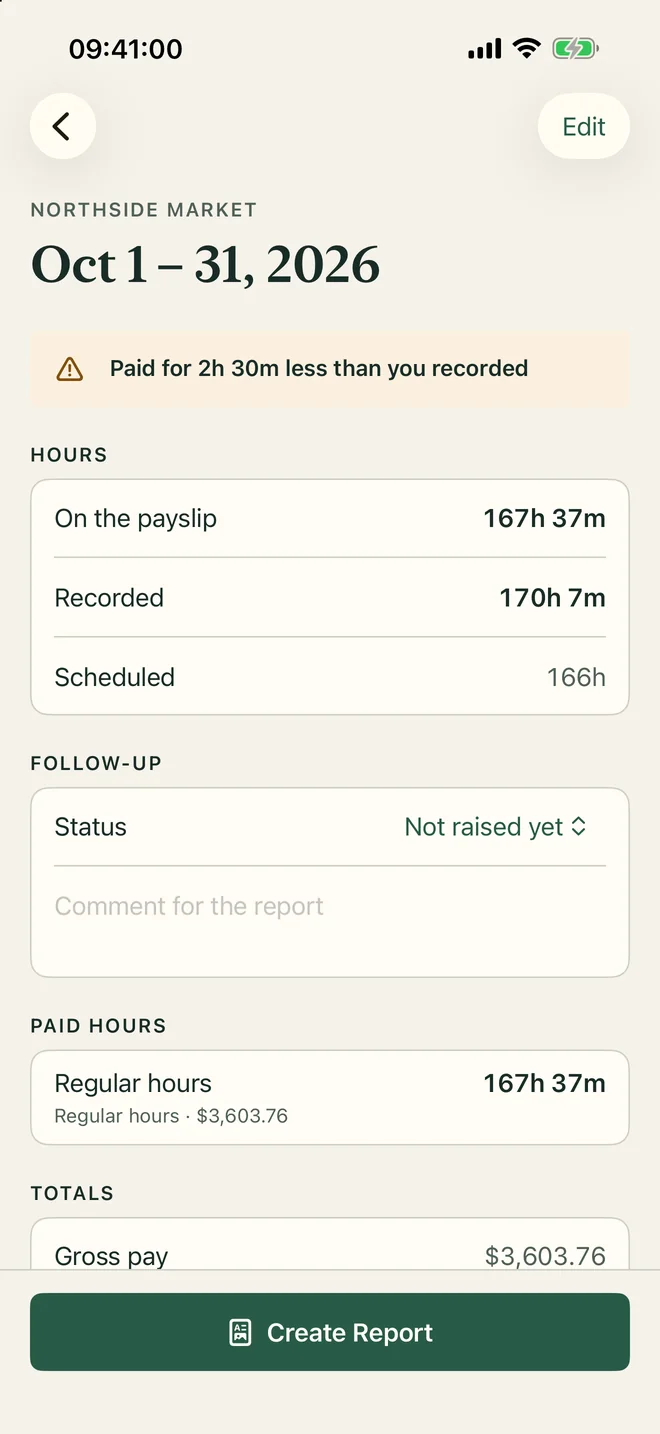
Three records of the same month
The plan, what happened and what you were paid are kept apart, so one never overwrites another. That is what makes them comparable.
-
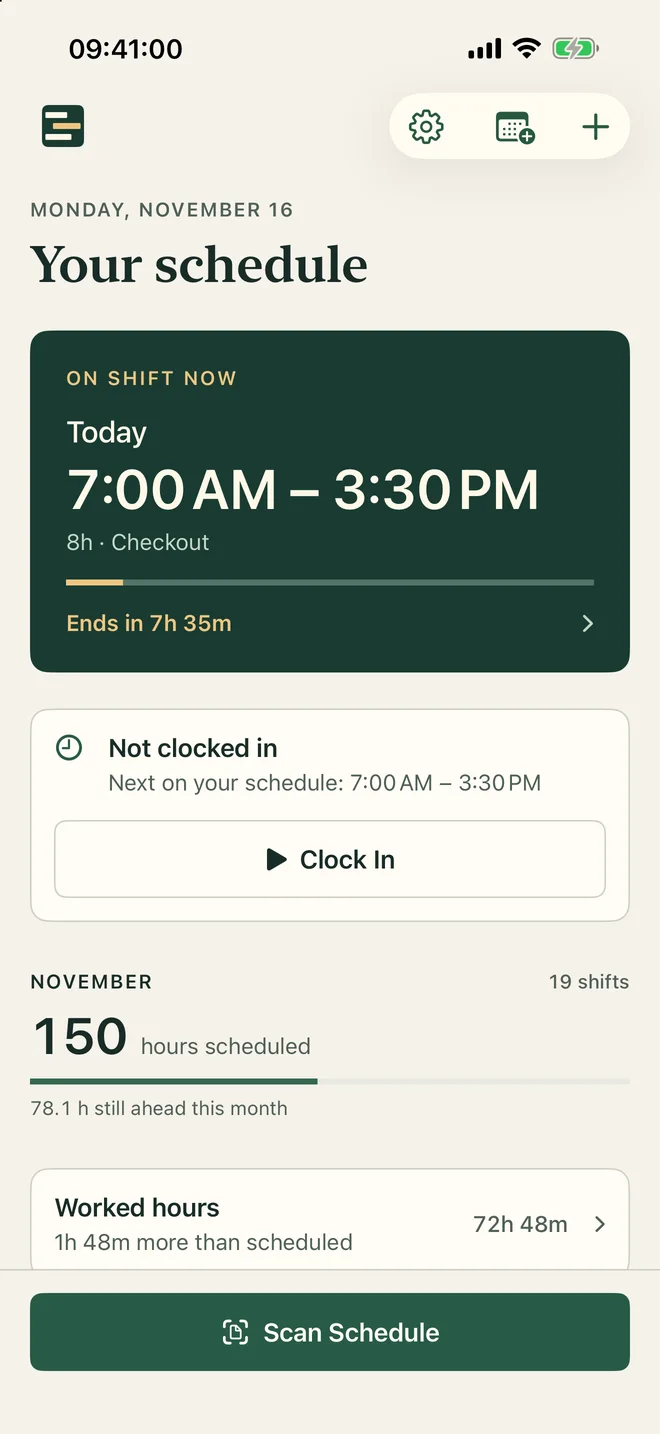
Scan your schedule
Photograph the roster or pick a screenshot. Shiftally reads the dates, times and breaks. In a shared roster you pick your name once. Every shift is listed for you to check, and anything hard to read is marked and never saved until you confirm it.
-
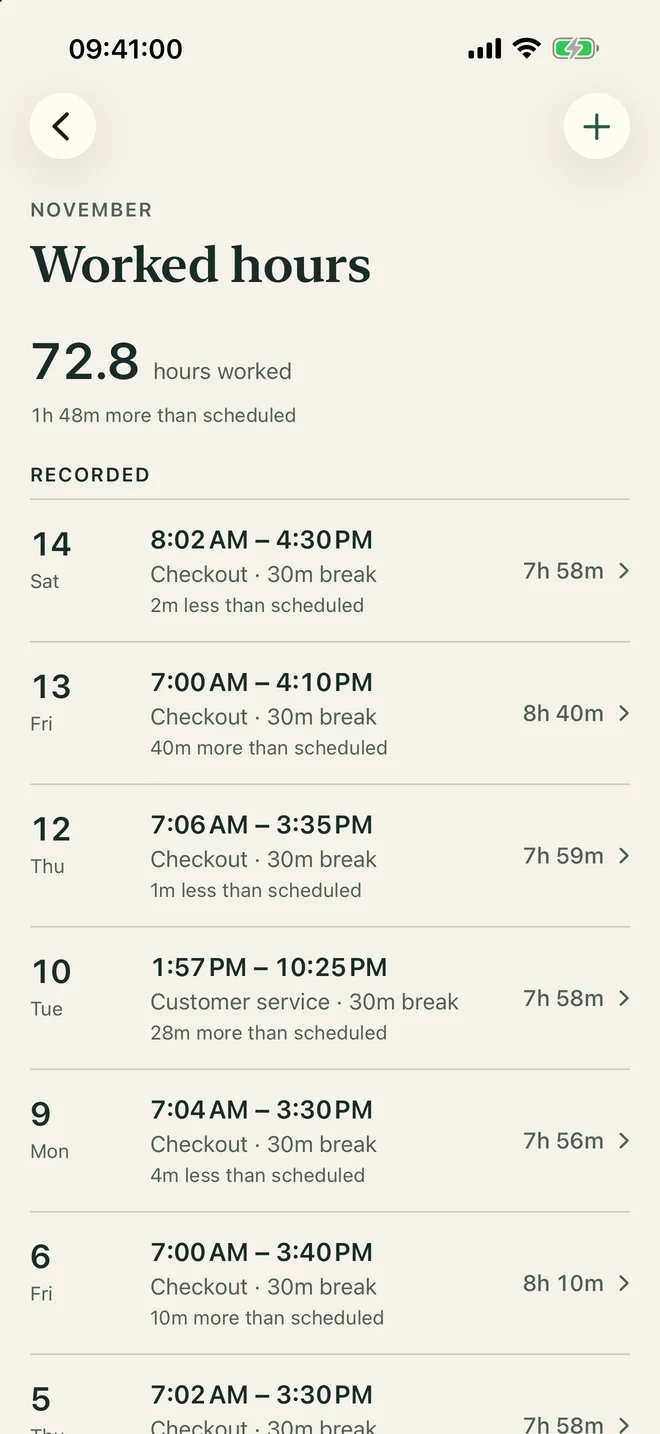
Record the hours you work
Clock in and out from the first screen and take breaks as they happen, or add hours afterwards. A shift that went to plan is recorded with one tap. Each day shows how far it ran over or under the schedule.
-
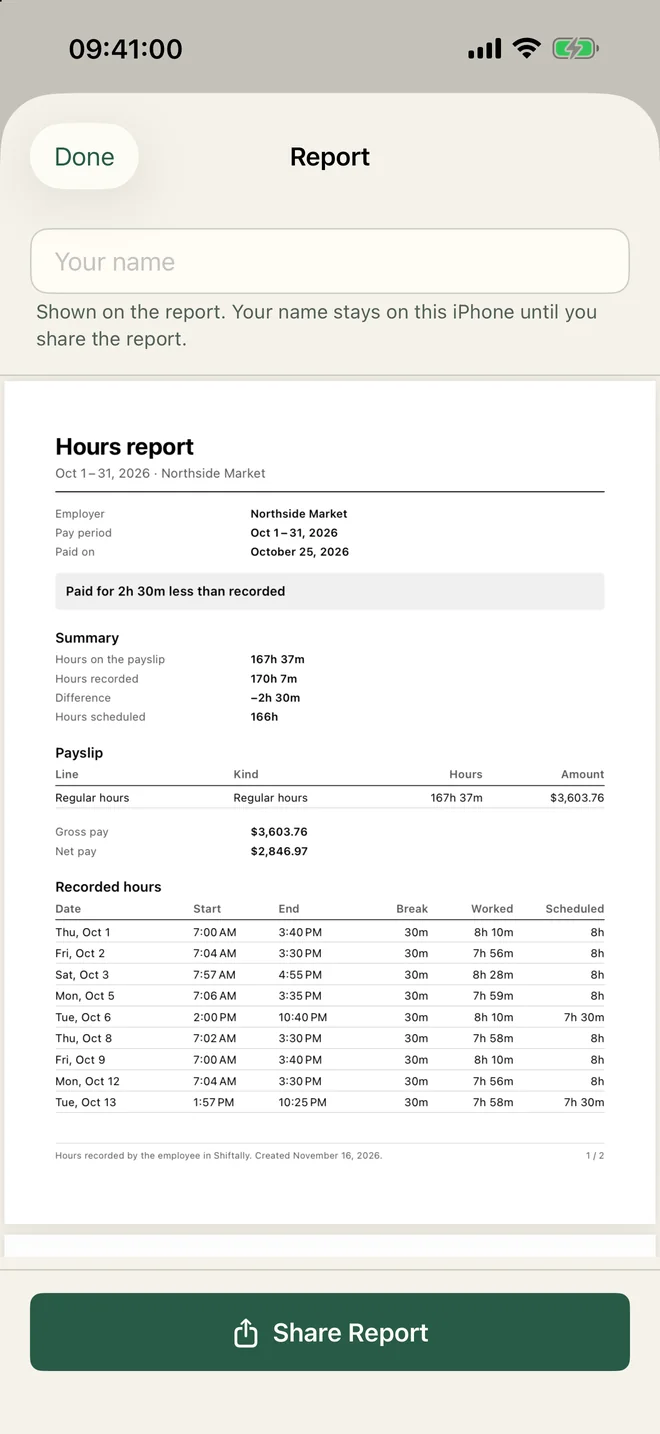
Check the payslip
Scan the payslip or type it in. Shiftally compares the hours it pays with the hours you recorded in the same period: paid for less, paid for more, or a match. If something is off, create a PDF report of the period to hand to payroll.
What leaves your iPhone
Shiftally has no server, no accounts and no analytics. The app makes no network requests of its own, and scanned photos are read on the iPhone by Apple's own text recognition.
| Information | Does it leave the iPhone? |
|---|---|
| Shifts, worked hours and breaks | Only if you turn on iCloud sync, and then only to your own private iCloud |
| Payslip figures and comments | Only if you turn on iCloud sync, and then only to your own private iCloud |
| Photos you scan | Never. They are read in memory and not saved |
| Payday settings and reminders | Never. Reminders are scheduled on the iPhone |
| Calendar events | They follow the sync settings of the calendar you chose |
| PDF reports | Only when you share one yourself |
Also in the app
- Apple Calendar
- Add your shifts to the calendar you choose. Shifts already there are not added twice, and changed shifts are updated.
- Payday reminders
- Set your payday once. Shiftally reminds you at 9:00 that morning to add the month's payslip.
- Breaks and night shifts
- Any number of paid or unpaid breaks per shift. Shifts that cross midnight are shown on one timeline.
- iCloud sync
- Off until you turn it on. Your shifts, hours and payslips then appear on your other devices.
- Eleven languages
- Danish, Dutch, English, French, German, Italian, Korean, Norwegian, Portuguese, Spanish and Swedish. Payslips are read in English, Swedish and Korean for now. Others can be typed in.